Online Giving

Support the ministry

Your generosity helps West Side Baptist Church continue its Bible-teaching ministry, missionary work, outreach, and the work of Free Grace Bible Institute.

Thank you for partnering with us

Giving is one way believers can participate in the work of the church and help support ministries that proclaim the gospel and teach the Word of God.

West Side Baptist Church currently accepts online giving through Zelle and GoFundMe. Please choose the option that works best for you.

“God loves a cheerful giver.”

2 Corinthians 9:7 NASB

Choose a giving option

Use Zelle for a direct bank transfer or visit the church’s GoFundMe fundraising page.

Z

Direct Bank Transfer

Give Through Zelle

Open Zelle through your participating bank or credit union and scan the QR code below.
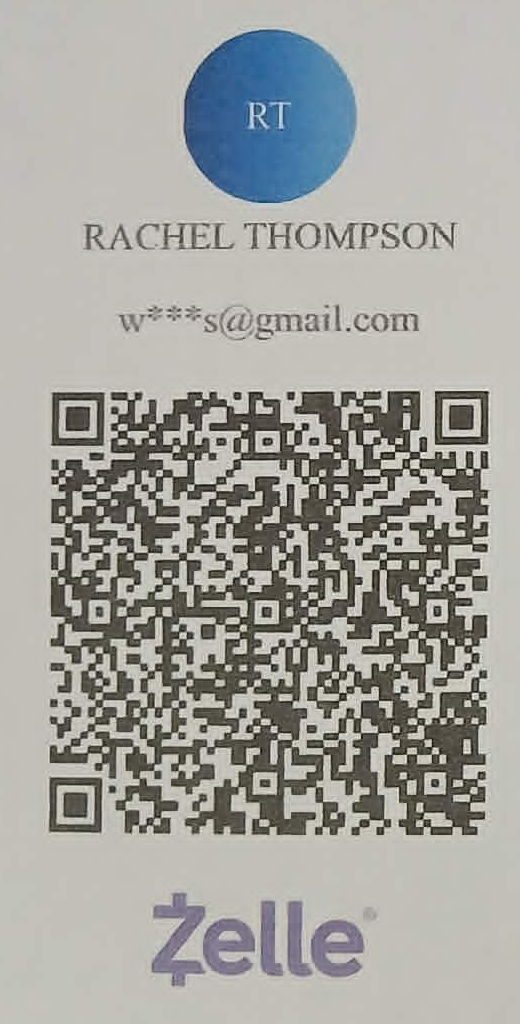
Zelle QR code for giving to West Side Baptist Church
Recipient name Rachel Thompson

Before sending, confirm that the recipient information displayed by your bank matches the information shown above.

G

Church Fundraising

Give Through GoFundMe

Visit the official fundraising page for West Side Baptist Church and Free Grace Bible Institute.

Help support the church and its ministries

Contributions can help with church needs, ministry projects, outreach, missions, and Bible institute work.

Visit Our GoFundMe

The GoFundMe page will open in a new browser tab.

How to send your offering

The exact wording and location of Zelle may differ depending on your bank’s mobile application.

  1. 1

    Open your bank application

    Sign in to the mobile application or online-banking website connected to your bank account.

  2. 2

    Find the Zelle option

    Look under payments, transfers, send money, or Zelle.

  3. 3

    Scan the QR code

    Scan the QR code shown above, or enter wsbcbusiness@gmail.com manually.

  4. 4

    Confirm the recipient

    Add the recipient if necessary and confirm that the payment is being sent to the approved church recipient.

  5. 5

    Enter the amount

    Enter the amount you wish to give and review the transaction carefully.

  6. 6

    Describe the purpose

    In the message or “What’s this for?” field, use one of the following:

    • General Offering
    • Specific WSBC Ministry or Need
    • Specific FGBI or Mission
  7. 7

    Review and send

    Check the recipient, amount, and purpose before completing the transaction.

Please verify before sending

Zelle payments may be difficult or impossible to reverse. Confirm the recipient information before sending your offering.

For questions about giving, designated offerings, or ministry needs, please contact West Side Baptist Church before completing your payment.

Contact the church

We would be glad to help with questions about online giving, designated gifts, or ministry needs.

Contact Us